Custom Engine SDK
You can connect any game to StarWatch by implementing a client-side or server-side connection to the REST API. This guide walks you through the essential steps for authentication and sending game telemetry.
Open API documentation is available for all endpoints. Use the following URL, replacing [YOUR-TENANT-ID] with your specific ID:
https://api.[YOUR-TENANT-ID].starwatch.ai/ui
If you prefer to generate client libraries for your specific language/environment, documentation on various generators can be found here .
Authenticate
To start sending data, you must configure an API Key and generate a session token for Bearer Authentication.
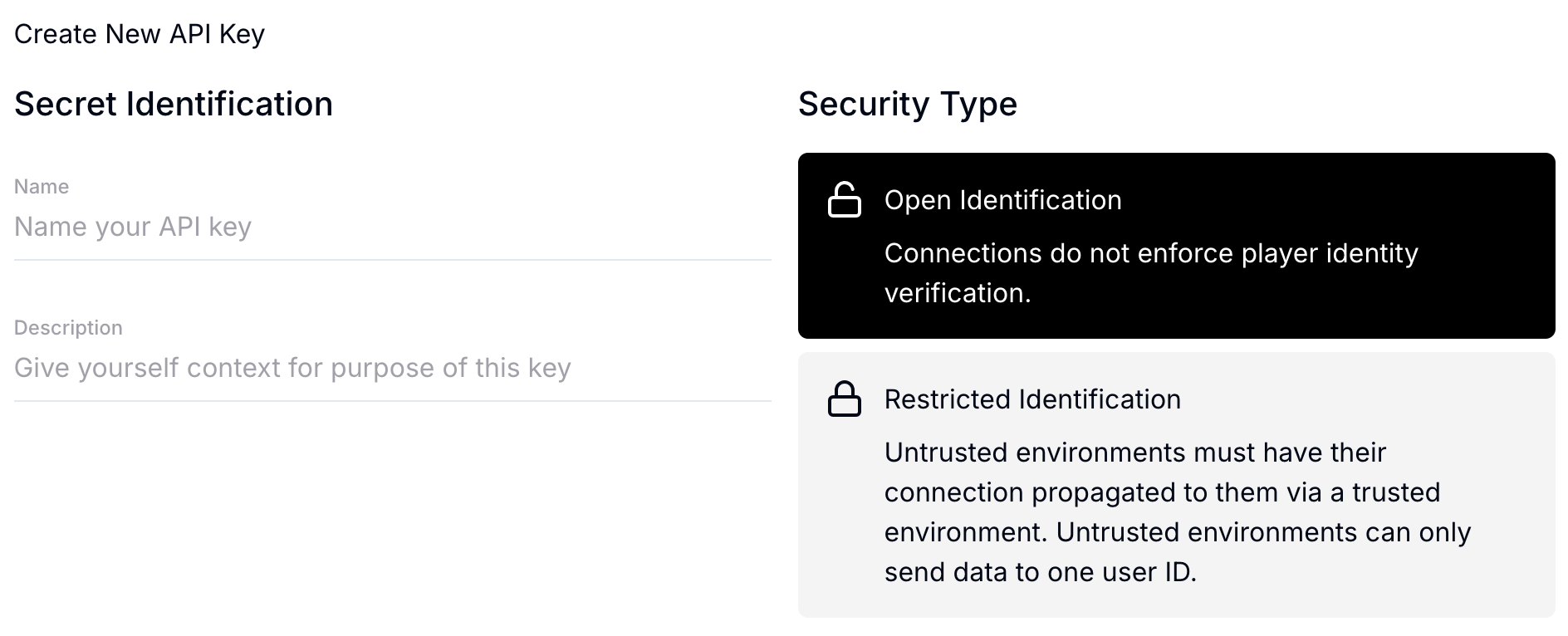
API key types
When setting up your API Key in the StarWatch Manager, select the option that matches your game’s architecture:
| Key Type | Typical use case | Description |
|---|---|---|
| Open Identification | Single-player games or environments where no server-side User ID authority exists. | The client can generate tokens without server authorization. |
| Restricted Identification | Multiplayer games or scenarios where users are authorized via your game server. | Telemetry is sent directly from your game server or a token is issued to the client after server-side validation. |
Generate the bearer token
Call the appropriate endpoint using your API Key to generate the required bearer token:
/authenticate/open: Use this if you chose Open Identification./authenticate/server: Use this if your server will be sending data about all users (Restricted Identification)./authenticate/player: Use this if your server will generate and send the token to the player’s device (Restricted Identification).
The returned bearer token must be included in the header of all subsequent API requests for authentication.
Send core game data
The primary endpoint for sending game data to StarWatch is /user_events. Each connected user should report key information about their current state at regular intervals.
Recommended Reporting Frequency:
- Every 2 seconds
- When entering a new area (e.g., loading a new level/map)
- Immediately before character removal (e.g., character death, game crash, disconnection)
Event details
StarWatch has two event detail types: Event Counts and Gauges.
Event counts (actions and frequency)
Event counts track how often specific events occur during a reporting interval (e.g., picking up an item, taking damage).
- Concept: Similar to Prometheus Counters .
- Behavior: The counter sums up all occurrences within the reporting interval (e.g., 2 seconds) and is reset to zero after it is sent.
{
  "damage-taken": 45,
  "jumped": 2
}
Gauges (current state and values)
Gauges track values that represent the current, absolute state of a player or game object.
Similar to Prometheus Gauges . The value should be emitted every interval but is not reset. It reflects the current state until changed.
There are two different kinds of gauges that can be sent.
- Discrete values: Map to specific, pre-defined game states (e.g., player class, menu open).
- Continuous values: Any numerical range (e.g., health, currency, temperature).
{
  // Discrete
  "class": 0,
  "new-game-plus": 1,
  // Continuous
  "temperature": 48.7,
  "money": 124.1,
  "health": 43.5
}The configuration for what discrete values (like 0 → class) represent is defined within your tenant’s Game Legend settings.