Terrain optimization
Follow this guide to compact terrain content into a way that is optimized for StarWatch. This guide uses blender as a tool to edit models.
Import content
-
Delete the default content in blender by hovering over the model area and pressing A → X → D.
-
Import using File > Import > your current model format, with split by object and split by group selected in the import options.
Optimize content
Next we will run a script which removes small items from the scene.
Open the scripting workspace and click New to make a start a new script. Copy the following script in and run it to highlight which items are going to be deleted. If you’re comfortable with those items being removed, uncomment the delete_selected_objects() line and run the script again.
import bpy
from mathutils import Vector
from bpy_extras.io_utils import ExportHelper

# DEFINITIONS ====================================================================================
# Get bounding box corners in world spance
def bbox_area_world(obj):
    corners = [obj.matrix_world @ Vector(corner) for corner in obj.bound_box]

    min_corner = Vector((
        min(v.x for v in corners),
        min(v.y for v in corners),
        min(v.z for v in corners),
    ))
    max_corner = Vector((
        max(v.x for v in corners),
        max(v.y for v in corners),
        max(v.z for v in corners),
    ))

    size = max_corner - min_corner
    return 2 * (size.x * size.y + size.x * size.z + size.y * size.z)

def get_depth(obj):
    depth = 0
    while obj.parent:
        obj = obj.parent
        depth += 1
    return depth

def are_all_children_selected(obj):
    for child in obj.children:
        if not child.select_get():
            return False
    return True

def select_small_objects_to_be_deleted(threshold):
    # Deselect everything
    bpy.ops.object.select_all(action='DESELECT')

    # Sort leaves to roots
    sorted_objects = sorted(bpy.context.scene.objects, key=get_depth, reverse=True)

    # Iterate over objects from leaves to roots
    # selecting the small ones.
    # Only selects a parent if all children are selected
    for obj in sorted_objects:
        if are_all_children_selected(obj):
            vol = bbox_area_world(obj)
            if vol < threshold:
                obj.select_set(True)

def delete_selected_objects():
    bpy.ops.object.delete()

def export_map(filepath):
    bpy.ops.export_scene.gltf(
        filepath=filepath,
        export_format='GLB',

        # --- Geometry & Optimization ---
        export_apply=True,            # Apply modifiers (like Decimate) automatically
        export_draco_mesh_compression_enable=True, # DRAMATICALLY reduces geometry size
        export_draco_mesh_compression_level=6,     # Compression strength (0-10)

        # --- Materials & Textures ---
        export_image_format='JPEG',   # Smaller than PNG (only if no transparency)
        export_jpeg_quality=75,       # Balance between size and quality

        # --- Disable Unnecessary Data (Static Map) ---
        export_animations=False,      # Removes extra animation tracks
        export_cameras=False,         # Removes camera nodes
        export_lights=False,          # Removes light nodes
        export_normals=True           # Keep if you need smooth shading
    )
# DEFINITIONS ====================================================================================


# ENDUSER AREA ===================================================================================
AREA_THRESHOLD = 1.0
select_small_objects_to_be_deleted(threshold=AREA_THRESHOLD) # change this value to select smaller or bigger objects

# uncomment the following line and run again when the selection to delete makes sense
#delete_selected_objects()

# uncomment the following lines to export the result map, change the path accordingly
#filepath = "/home/yourname/Desktop/map.glb" # linux
#filepath = "/Users/yourname/Desktop/map.glb" # macos
#filepath = "C:/Users/yourname/Desktop/map.glb" # windows
#export_map(filepath)

# ENDUSER AREA ===================================================================================You can edit the variable AREA_THRESHOLD to change how small of objects are removed.
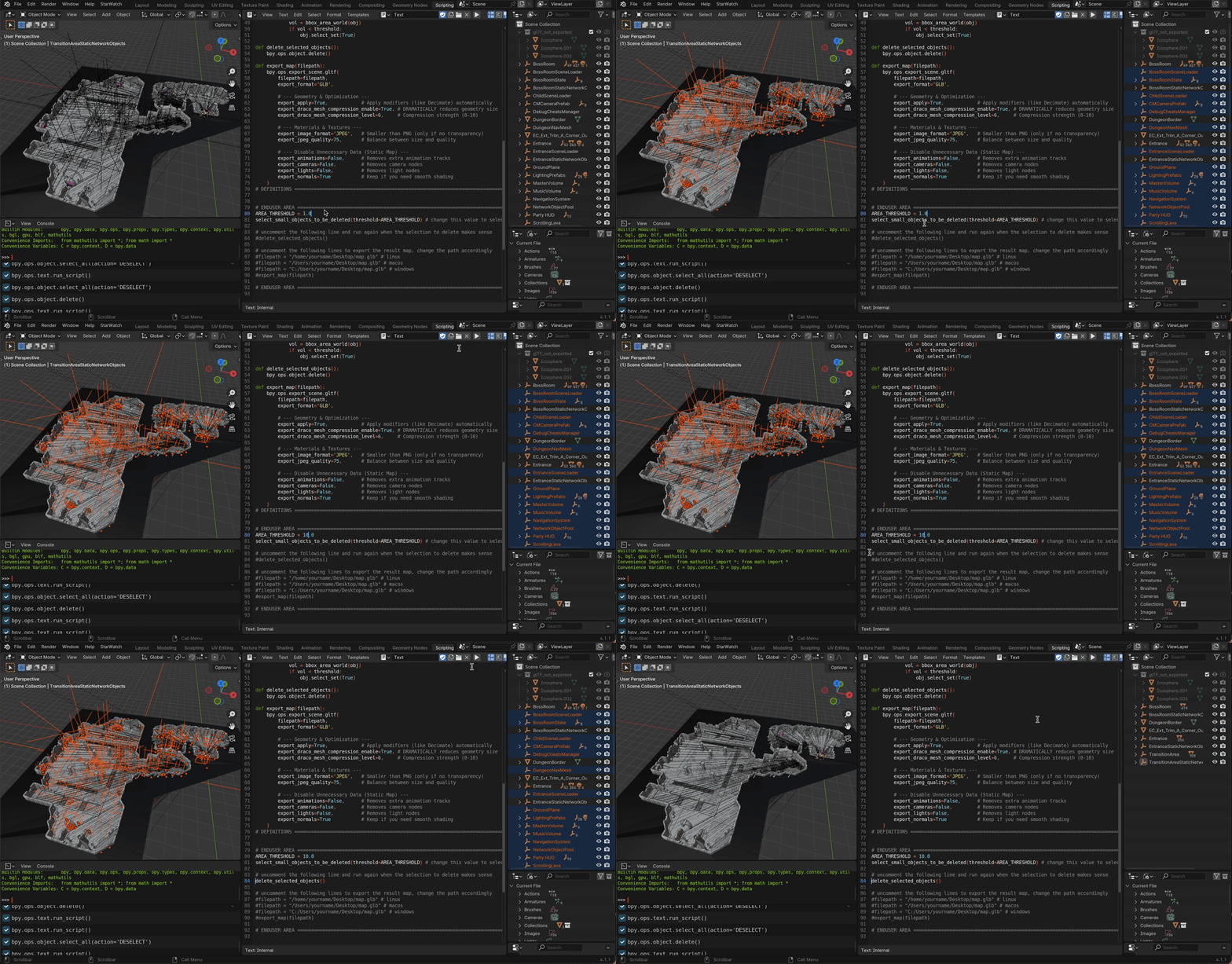
Export content
The final step is to export your map as a .glb file. To do this, return to the end-user area at the bottom of the script:
- Uncomment the
filepathline that matches your operating system (Windows, macOS, or Linux) and update the placeholder name to a valid path. - Uncomment the
export_map(filepath)line. - Run the script one last time to save your optimized file.