Anomalies
Anomalies are flagged unusual behaviors that deviate from the average player experience. StarWatch uses a session-based anomaly system that automatically labels sessions when they are statistically distinct from others.
Anomalies are not inherently unfavorable. There can be positive deviations as well as negative.
Set up event categories
An event category is a way for users to organize events in StarWatch as well as set up high-level anomaly detection. It doesn’t require examples to create anomalies, so they won’t say exactly in what way a session was anomalous, but will categorize what type of anomalous activity was identified. If a session is flagged as anomalous, the category assigned to the events within that session determine the session’s anomaly type. Events can be assigned the following categories:
- Economy
- Social
- Story Progression
- Onboarding
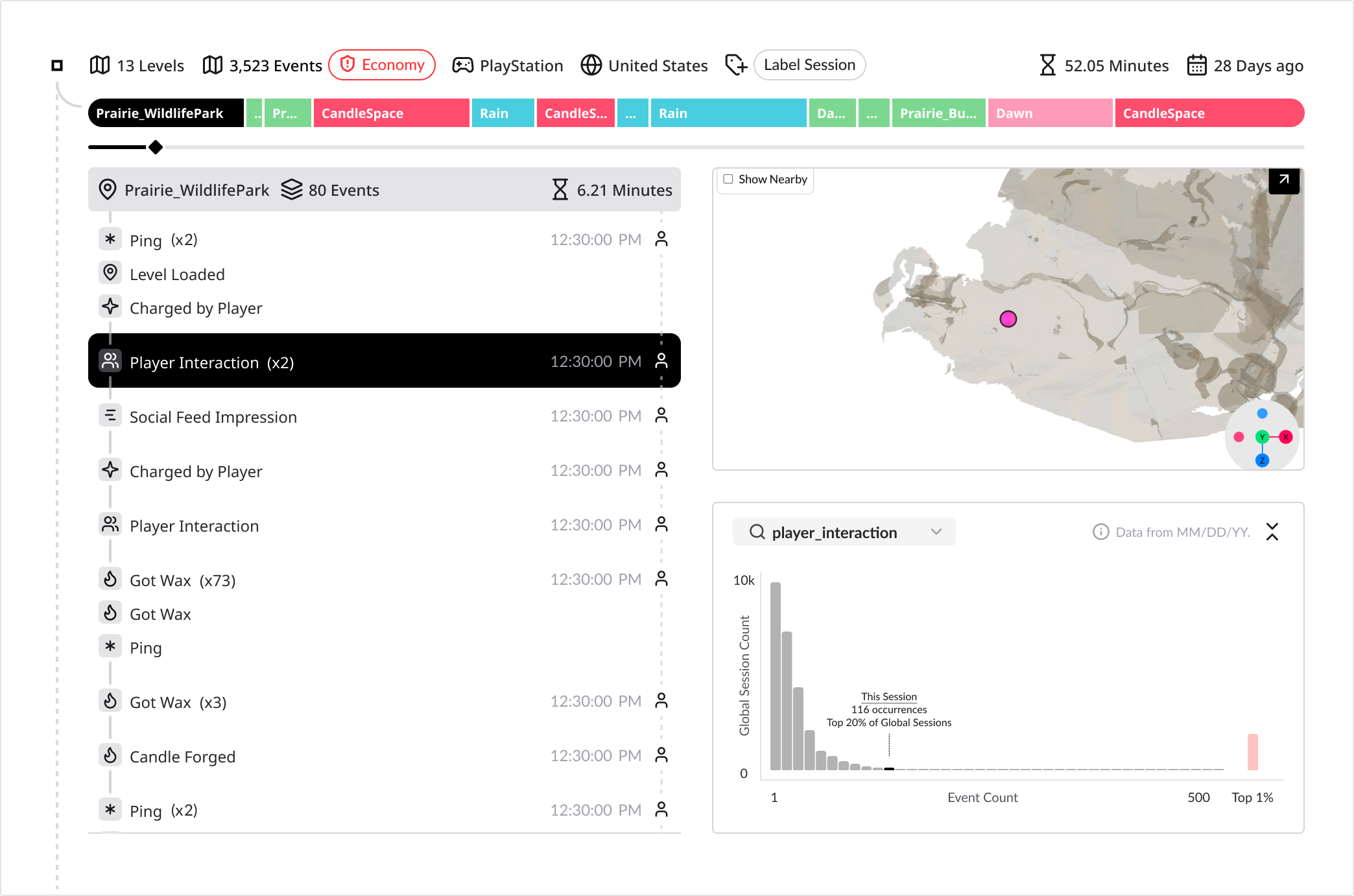
When individual events that make up each category are assigned, the anomaly model better learns what events populate it, leading to more accurate anomaly flags.
To set up events for anomaly detection:
- Go to the menu > Game Legend.
- Under the Player Event tab, find your event(s).
- For each event, click Select Category and choose the category for that event.
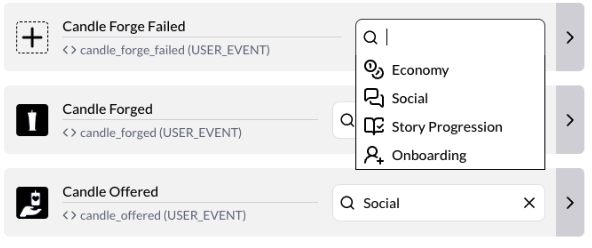
The more events are associated with a category, the more accurate the anomaly detection will be. If you have no events categorized, there will be essentialy no anomaly detection.
The more events a game has, the more important event tagging becomes so that the anomaly model can become more accurate. For example, when events are tagged as Social, those events are used to define how a session is anomalous in that regard. This reduces the possibility of flagging false positives as comparing to a larger dataset reduces the chance of minute discrepancies being flagged as anomalous.